Showing posts with label google chrome. Show all posts

Ginger Extension for Chrome Adds Contextual Spelling And Grammar Correction


Ginger, the contextual spelling and grammar correction software is now available as a free Chrome Extension. If you are not familiar with Ginger click here. The software can correct spelling and grammar for any written text in the Chrome web browser. Ginger is great for people that struggle with spelling or people who are learning English. To download Ginger for Chrome click here.


You have read this article blind / chrome app / contextual spell check / dyslexia / extension / free / Ginger / google chrome / grammar checker / no cost / Special Education with the title google chrome. You can bookmark this page URL https://fieldecho.blogspot.com/2012/05/ginger-extension-for-chrome-adds.html. Thanks!

Google Dictionary Defines Any Word on the Web


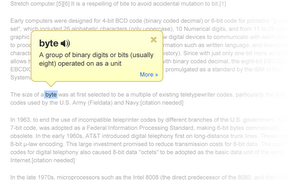
Google Dictionary is a free extension available for Google Chrome. To download the extension click here. Once downloaded simply double click on any word on a web page to view its definition or hear the word read aloud. Google Dictionary is perfect for quickly looking up unfamiliar words. To learn about other Chrome extensions click here.
You have read this article accessibility / assistive tech / assistive technology / at / Chrome / define / definition / dictionary / dyslexia / extension / fast / free / Google / google chrome / look up / no cost / one click / webstore with the title google chrome. You can bookmark this page URL https://fieldecho.blogspot.com/2011/12/google-dictionary-defines-any-word-on.html. Thanks!

How to Filter Google Results by Reading Level


Google is an extremely popular search engine. Google displays links to pages that are related to your search. There is a little known feature in Google that allows you to filter your results by reading level. If you want an article that is within your reading ability this feature is great. To filter your results by reading level go to advanced search in the top right. Next, click on the drop down menu labeled reading level. Then click on your desired reading level. Searching by reading level is a great way to target your search results and only get relevant results.      

You have read this article accessibility / advanced search / assistive technology / at / bing / bing.com / disability / dyslexia / filter by reading level / Google / google chrome / google tips and tricks / google.com / reading level / search results / text with the title google chrome. You can bookmark this page URL https://fieldecho.blogspot.com/2011/07/how-to-filter-google-results-by-reading.html. Thanks!

Google Speech Recognition now Available for Text Fields Across the Web


Last week Google added voice search to it search page. This new feature allows Chrome users to speak rather than type their searches. Previously this feature was only available for Google search but recently Google added the service to  other text fields across the web. Currently the feature is only available for Google chrome users. To activate the feature click on the speech button shown above and speak to input text. (requires a microphone) This feature can help poor spellers and people that are unable to use a keyboard.Voice recognition is accurate and works quickly. The feature does not allow you to navigate within a webpage it only allows for text input. Note: This feature may only be available for certain users and in beta builds of Chrome.
You have read this article assistive technology / beta / Chrome / disability / dyslexia / Google / google chrome / google.com / microphone / speech button / speech recognition / speech-to-text / text input / voice search with the title google chrome. You can bookmark this page URL https://fieldecho.blogspot.com/2011/06/google-speech-recognition-now-available.html. Thanks!